
Multi Room Audio Player is now Multi Zone Audio Player (MZAP 7), rebuilt as 64-bit with full ASIO and Audinate Dante support. Since version 7.3 it can also play SoundMachine, a music service for businesses, straight into your zones.
What SoundMachine is
SoundMachine is licensed background music for shops, restaurants, hotels, gyms and offices. You pick from curated stations, build your own mixes and plan the week with schedules on the SoundMachine website. Multi Room Audio Player plays the result in the zones you choose.
Hundreds of stations in more than 40 genres
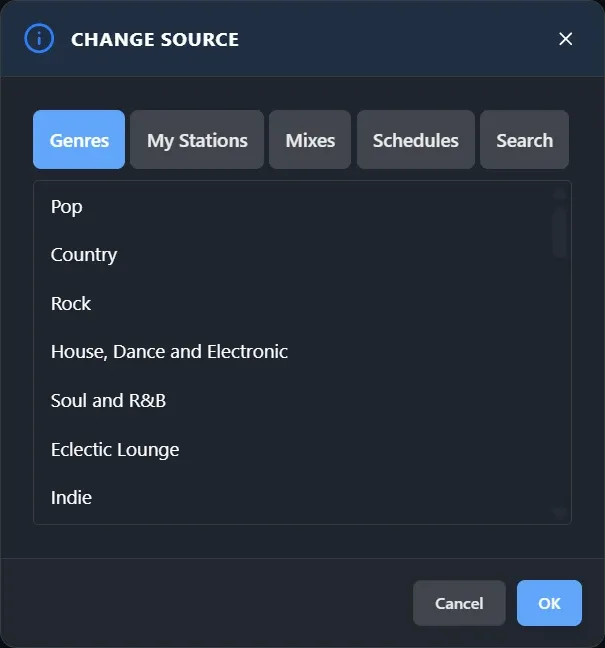
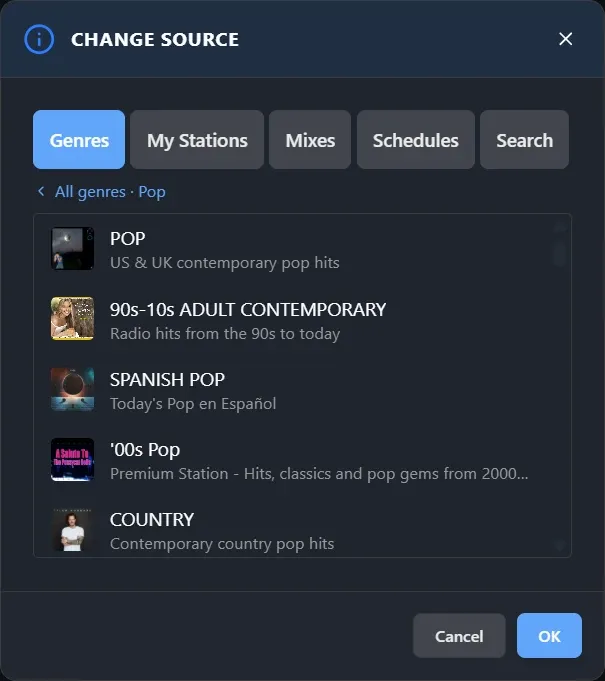
SoundMachine has hundreds of stations, sorted into more than 40 genres: Pop, Rock, Jazz and Swing, Latin, Classical, Reggae, Disco and many more. Open a genre to see its stations, each with a short description, so you know what a room will sound like before you press OK.
Some genres are made for a particular kind of venue:
- Lobby and Eclectic Lounge for hotel lobbies and receptions
- Ambient / Spa and Calm for spas and treatment rooms
- Workout and Energetic for gyms
- Kids and Family for play areas
- House of Worship for churches
- Xmas and Holidays for the festive season
Besides genres, the same dialog lists your own stations, your mixes and your weekly schedules, and has a search.
How it works
- Add your SoundMachine account in the settings. Multi Room Audio Player signs in to check it before saving.
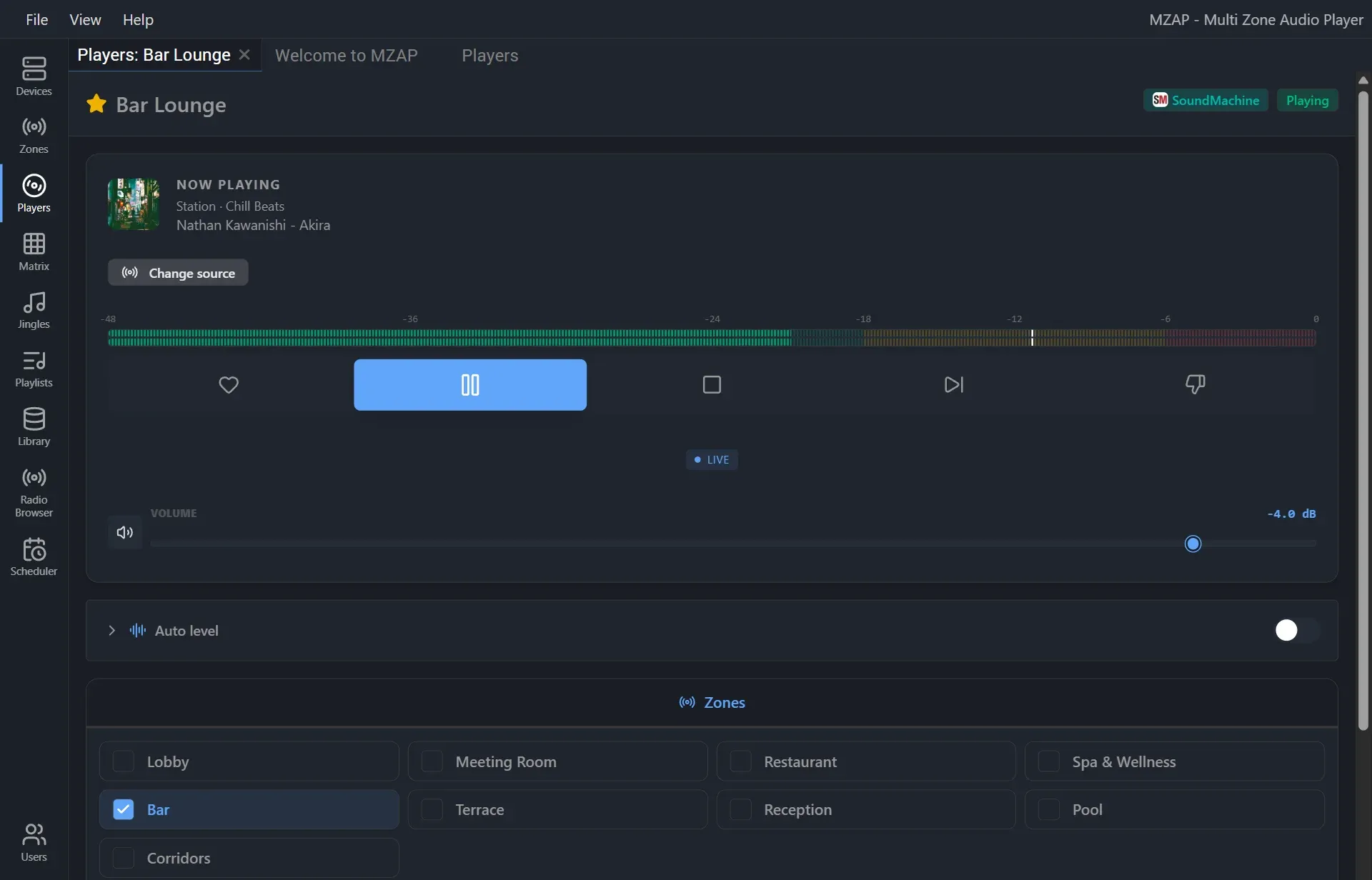
- Create a SoundMachine player and choose a station, a mix or a weekly schedule. Tick the zones and press Play. One player can feed as many zones as you like, and one account can drive up to 10 players.
- Announcements and ads you schedule on the SoundMachine website play automatically.
- Like, Dislike and Next work from the player. SoundMachine allows 6 skips per hour per account.
- If another device starts playing the same account, the player stops and offers Play here, so two locations never fight over one account.
The setup guide walks through every step.
What you need
- A Business licence of Multi Room Audio Player. SoundMachine is a Business feature, and the free trial includes it. See Buy.
- Your own SoundMachine account, one per physical location. SoundMachine offers a free trial.
Licensing outside the USA and Canada
SoundMachine’s subscription includes public-performance licensing in the USA and Canada. In other countries your business also needs a licence from local collecting societies. In the UK, for example, that is TheMusicLicence from PPL PRS.
To help, we have put together music licensing by country: which organisations to contact in the countries where most of our customers are. If your country is not listed, or anything is unclear, contact SoundMachine directly at [email protected]. Their support team can point you to the right licensing authorities.
No music service’s licence covers DJs, live bands, karaoke, or music from other sources such as radio, TV or CDs.
Get started
- Start a SoundMachine trial.
- Download Multi Room Audio Player 7.3 or later, or update from inside the app.
- Follow the setup guide.