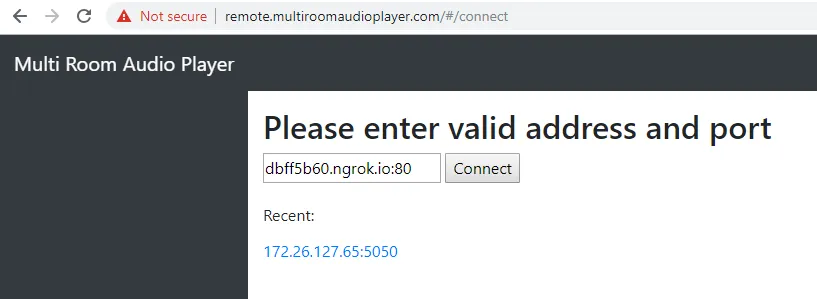
Legacy article. This applies to Multi Room Audio Player 5, which is no longer supported. The web remote works only over
http://remote.multiroomaudioplayer.com(no TLS), because it calls your audio server over HTTP. For the current version, see MZAP 7.
We found a quick solution to control our Multi Room Audio Player over the Internet. Please download ngrok software and expose your local audio server to the internet in one console command. It’s absolutely free of charge (paid plans offer some additional features). Please enable API in the Settings and then run Windows command line interface and type – ngrok http 5050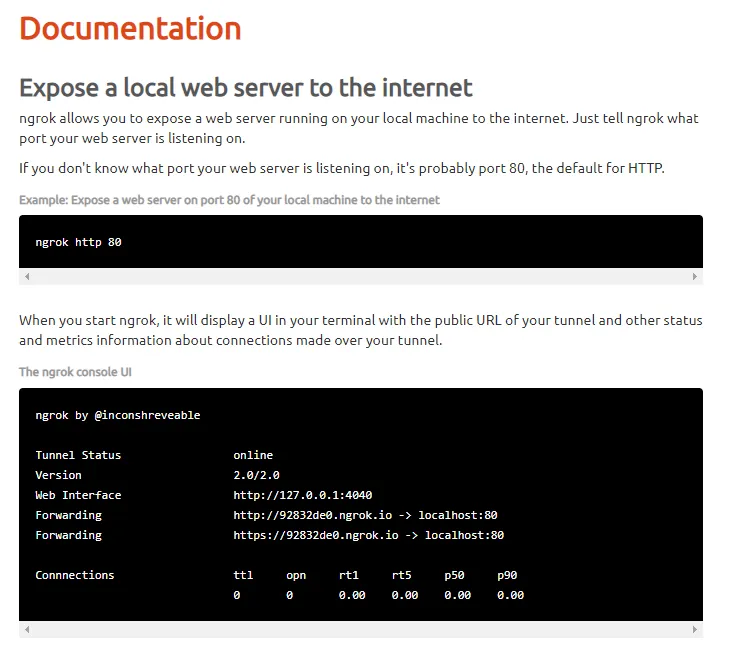
If successful, you will get a response with a new unique global address to connect with our web remote (http://remote.multiroomaudioplayer.com) on port 80.
Please read ngrok documentation for more.