← Tutti gli articoli di aiuto

Aiuto

Schede audio compatibili

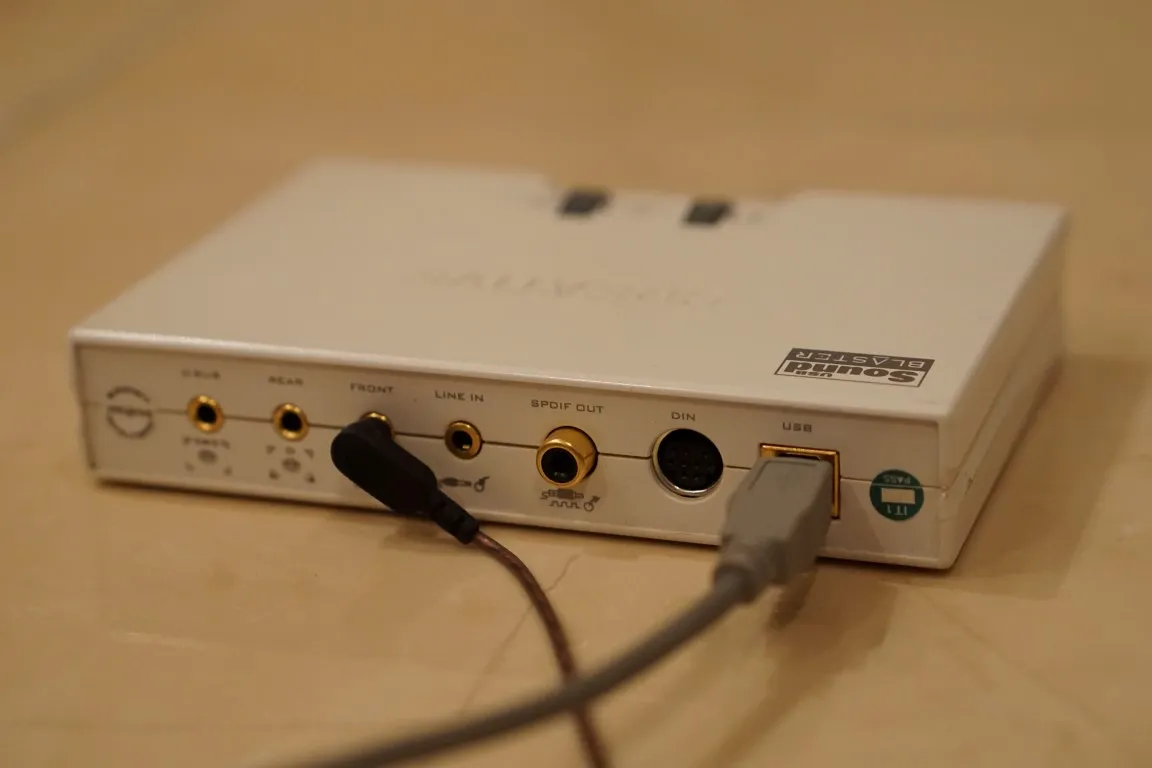
Una delle domande più frequenti è – Potete consigliare alcune schede audio valide? Potete usare qualsiasi scheda audio interna o USB esterna normale con driver WDM (non ASIO), anche quella interna di un laptop. Purtroppo i dispositivi ASIO non sono ancora supportati. Testiamo il nostro software con schede interne Realtek, Cirrus Logic ed esterne USB Sound Blaster di Creative Labs. La maggior parte dei nostri clienti preferisce Asus Xonar. E naturalmente Multi Room Audio Player funziona con Dante Virtual Soundcard se l’interfaccia audio è impostata su WDM.

Nota che alcune schede audio professionali, come ZOOM UAC-8 Audio ad esempio, hanno driver ASIO e WDM ma in modalità WDM otterrete solo una coppia stereo, 2 canali invece di 8 in ASIO 🙁

Elenco dei dispositivi supportati:

  • Schede audio Focusrite con driver Traktor Audio WDM Audio;
  • Realtek High Definition Audio;
  • Cirrus Logic CS4206B;
  • Serie Asus Xonar;
  • Dante Virtual Soundcard;
  • Creative Sound Blaster;
  • Creative USB Sound Blaster esterna;
  • C-Media;
  • M-Audio Delta 1010LT;
  • Axia IP-Audio Driver (inclusa la versione a 24 canali);
  • Asus Xonar U5;
  • e altro ancora…

Inviateci le vostre proposte oppure scrivetele nei commenti qui sotto. Grazie.
sound blaster

Discussione

  1. Rich

    I have been using 4 of the Diamond Multimedia USB 7.1 Surround Sound Audio Box/Cards XS71UV2. They are discontinued now, so I am looking for backups that will also work with system.

  2. AudioGuru

    Thank you for your feedback, John! Sure, Asus Xonar, and especially U5, one of the best choices now.

  3. John D

    Just for future reference. I was able to get the U5 card to work with no issues.

  4. AudioGuru

    How many channels do you see in the Windows-Control Panel-Sound Settings?

  5. Tristen

    I still had trouble so I switched to a Creative Sound Blaster X-fi 5.1 pro USB card, configured it and it’s still only show left and right. What are confirmed compatible usb soundcards that will work? I’m running windows 10 if that makes a difference.

  6. AudioGuru

    Try to go to the Sound Settings and Configure Playback device settings, take a look at the Speaker setup. Hope it helps you.![Configure Audio Device](https://i.imgur.com/9EbOAvr.png)

  7. Tristen

    Using Asus Xonar U5 5.1 usb soundcard and I’m only seeing the left and right channels. Any ideas?

  8. AudioGuru

    You can get physical outputs connecting Dante audio devices via Ethernet. For example from RDL company [https://www.rdlnet.com/Dante/](https://www.rdlnet.com/Dante/)

  9. John D

    Dumb question – if using a virtual sound card where/how do you get physical outputs for the cables?

  10. AudioGuru

    A lot of our clients use Dante for installation in schools, bars, restaurants, shopping malls, sports centers etc.

    You can get up to 16 inputs/outputs with Dante Virtual Soundcard [https://www.audinate.com/products/software/dante-virtual-soundcard](https://www.audinate.com/products/software/dante-virtual-soundcard)

    And connect a lot of Dante modules over Ethernet [https://rdlnet.com/Dante/](https://rdlnet.com/Dante/)

    Please read our customer’s report [https://multiroomaudioplayer.com/en/2015/11/dante-audio-on-multi-room-audio-player/](/it/help/dante-audio-on-multi-room-audio-player/)

    If you need only inputs, probably, you don’t need our software, but if you need commutate many inputs with many outputs, our player is one of the best possible solutions.

  11. Kevin

    I didn’t know the Dante interface existed before reading this thread. I’m researching this now. On the surface, this looks like something I can use to distribute audio to some trouble areas I haven’t added zones to yet.

    It’s possible my research hasn’t gotten me there yet but I don’t see how to use Dante to add additional analog inputs.

    It also looks like it would be a replacement to Multiroom audio player and not an augmentation. But like I said I just heard about this yesterday and have only looked at it for 20 mins.

  12. AudioGuru

    I saw 4 audio cards installed, 3 USB and one internal. Maybe, better use Dante interface for your task?

  13. Kevin

    What’s the maximum number of sound cards I can install? I seem to be hitting a limit of 3 usb devices and am considering using internal ones instead. Is there a trick to using more than 3?

    Also, I have a need for more analog inputs. Any recommendations on sound cards that are only inputs or has more than one input?

    I’m okay with using a usb device and ignoring the output just to get the input, but as I said I’m up against what looks like a 3 device maximum so that wouldn’t work.

  14. AudioGuru

    It these cards have WDM drivers (non ASIO) it should work.

  15. AudioGuru

    Thank you, Josh. This is a common problem for many Focusrite audio cards with ASIO\\WDM drivers 🙁

  16. Josh

    FYI, Clarett 4Pre USB seems to have the same issue as the ZOOM UAC-8 Audio — only one stereo pair will output. I believe the 4Pre does come with ASIO & WDM drivers as well.

  17. AudioGuru

    Rich, I’m sure 99% it will work perfectly with WDM drivers.

  18. Rich

    How about internal cards like the Sound Blaster X-Fi Xtreme Audio PCI Express.. they say it used WDM drivers. It’s a PCIe card

  19. AudioGuru

    All of these ASUS audio cards will work well with WDM drivers.

  20. AudioGuru

    Thank you for your feedback, Geoff!

  21. Geoff

    Works fine with Axia audio drivers (virtual soundcards), including the 24 channel version.

  22. Shailesh Akhouri

    Would following audio cards work? Xonar Essence STX Essence STX II 7.1 Xonar U7

  23. Shailesh Akhouri

    Would following sound cards work: Asus Essence STX II 7.1, Asus Xonar Essence STX, Asus Xonar U7 ?